Custom CRM vs Ready-Made CRM: Guide 2026
.jpg)
Not sure whether to choose a custom CRM or a ready-made CRM? The right choice depends on your business needs, budget, workflows, and growth plans.
A ready-made CRM provides pre-built features for sales, customer management, automation, reporting, and integrations. A custom CRM is built around your specific business processes and requirements. For example, AI-based CRM Software.
This guide compares custom CRM vs ready-made CRM based on cost, customization, scalability, integrations, security, automation, and maintenance.
A CRM software development company can build a CRM designed for your workflows. A trusted CRM software provider can help with CRM implementation, customization, integration, migration, and support.
This guide will help you understand both options and choose the right CRM for your business.
Custom CRM vs Ready-Made CRM: Differences
The fundamental difference is ownership of the product and its underlying functionality.
|
Factor |
Custom CRM |
Ready-Made CRM |
|
Development |
Built for a specific business |
Already developed |
|
Initial implementation |
Usually longer |
Usually faster |
|
Customization |
Very high |
Depends on platform |
|
Upfront cost |
Usually higher |
Usually lower |
|
Recurring subscription |
Can be lower or absent, depending on architecture |
Usually recurring |
|
Maintenance |
Business or development partner |
Mainly vendor-managed |
|
Integrations |
Can be built specifically for the business |
Uses native integrations, APIs and connectors |
|
User interface |
Can be designed around users |
Designed for a broad market |
|
Data model |
Can be business-specific |
Follows platform architecture |
|
Updates |
Controlled by the business/development team |
Controlled by vendor |
|
Vendor dependency |
Lower platform dependency |
Higher vendor dependency |
|
Technical responsibility |
Higher |
Lower |
|
Deployment speed |
Slower |
Faster |
|
Industry-specific workflows |
Highly flexible |
Depends on configuration/extensions |
|
AI capabilities |
Must be designed/integrated |
Increasingly included by vendors |
|
Scalability |
Designed according to requirements |
Depends on vendor architecture and plan |
This comparison should not be interpreted as saying that one model is universally better.
The question is whether the capabilities you need are already available in a suitable CRM platform.
Custom CRM
A custom CRM software built specifically for a business's workflows, data, and processes.
- Business-Specific Workflows: Build features around your exact processes.
- Greater Control: Manage your data, features, and system architecture.
- Custom Integrations: Connect with ERP, APIs, websites, and internal software.
- Higher Initial Cost: Development requires more time and investment.
- Ongoing Maintenance: You manage hosting, updates, security, and future changes.
Ready-Made CRM
A ready-made CRM is pre-built software designed for common business needs. Examples include HubSpot, Salesforce, and Zoho CRM.
- Quick Setup: Launch the CRM quickly with little or no coding.
- Lower Initial Cost: Start with a subscription instead of development costs.
- Automatic Updates: The vendor manages updates, security patches, and new features.
- Limited Customization: You work within the CRM's existing features and structure.
- Recurring Cost: Subscription fees increase as users and features grow.
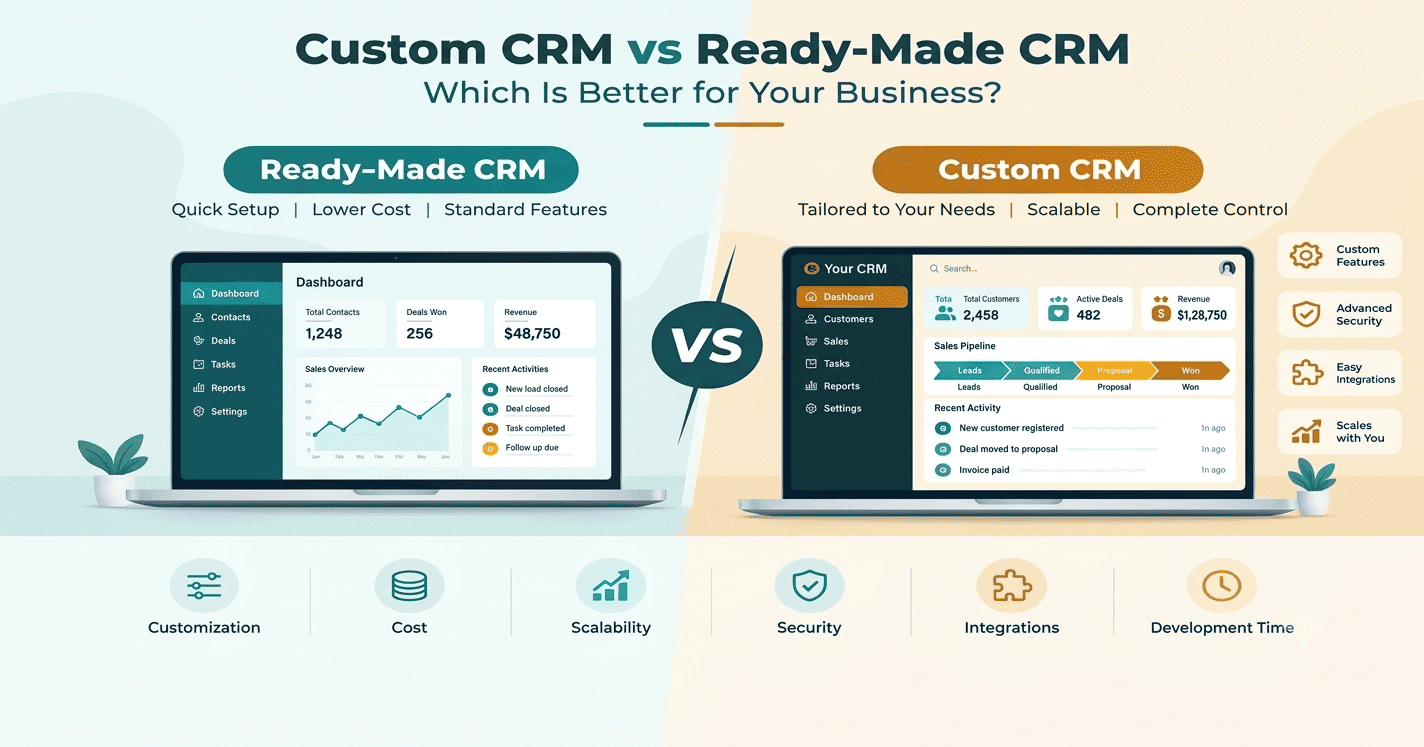
Which CRM Should You Choose?
- Choose a Custom CRM if: You need unique workflows, custom pricing, complex approvals, specialized reports, advanced automation, or deep integrations. It offers greater control, scalability, data ownership, and flexibility but requires higher upfront investment and ongoing maintenance.
- Choose a Ready-Made CRM if: You need quick implementation, standard CRM features, low upfront costs, built-in automation, regular updates, and easy maintenance. It is suitable for businesses with simple or standard sales and customer management processes.
CRM Cost and Total Cost of Ownership
Ready-made CRM usually has subscription costs. You may also pay for customization, integrations, and premium features.
Custom CRM has a higher initial development cost. You also need to consider hosting, maintenance, security, and future updates.
Compare the total cost of ownership (TCO) over three to five years before making a decision.
AI and Automation in CRM in 2026
AI-powered CRM helps businesses automate tasks, analyze customer data, and support sales teams.
Common AI and automation features include:
- AI-generated customer and sales summaries
- AI lead scoring
- Automated email drafting
- Sales recommendations
- Meeting summaries
- AI assistants and AI agents
- Automated follow-ups
- Workflow automation
Ready-made CRMs offer built-in AI features that are ready to use. Custom CRM software can use AI based on your specific workflows, business data, sales process, and automation needs.
Custom CRM vs Ready-Made CRM: Industry-Wise Use Cases
Different industries have different CRM requirements. The right option depends on workflow complexity, integrations, and business processes.
|
Industry |
Ready-Made CRM |
Custom CRM |
|
Real Estate |
Lead tracking, property inquiries, follow-ups |
Property management, broker workflows, site visits, custom lead allocation |
|
Healthcare |
Patient communication, appointments, follow-ups |
Patient workflows, doctor scheduling, referrals, custom healthcare integrations |
|
Education |
Student leads, admissions, follow-ups |
Admission workflows, student portals, fee management, custom reports |
|
Manufacturing |
Dealer management, sales pipelines, customer records |
Distributor workflows, production-related processes, ERP integration, custom approvals |
|
Banking & Finance |
Customer management, sales tracking, communication |
Complex approvals, financial workflows, compliance processes, custom integrations |
|
Retail & E-commerce |
Customer profiles, campaigns, sales tracking |
Omnichannel workflows, loyalty programs, order integration, custom automation |
|
Insurance |
Lead management, policy follow-ups, sales tracking |
Claims workflows, agent management, policy processes, custom integrations |
|
IT & SaaS |
Lead management, sales pipeline, customer support |
Subscription workflows, product usage data, custom billing and support integrations |
|
Professional Services |
Contact management, sales pipelines, task management |
Project workflows, approvals, billing, resource management, custom reporting |
Ready-made CRM works well when an industry has standard sales and customer management needs. Custom CRM is more suitable when the business requires complex workflows, industry-specific features, or deep integrations.
Custom CRM vs Ready-Made CRM: Detailed Comparison
Compare custom and ready-made CRM solutions based on cost, customization, scalability, features, integrations, security, and long-term business needs.
1. Initial Cost
Custom CRM: Higher upfront development cost.
Ready-Made CRM: Lower initial cost with subscription plans.
2. Implementation Time
Custom CRM: Requires planning, development, testing, and deployment.
Ready-Made CRM: Faster to set up and start using.
3. Customization
Custom CRM: Built around your workflows and business requirements.
Ready-Made CRM: Offers customization within the platform's limits.
4. Standard Features
Custom CRM: Features are developed based on your requirements.
Ready-Made CRM: Common CRM features are already available.
5. User Interface
Custom CRM: The interface can be designed for your team's workflow.
Ready-Made CRM: Uses the vendor's existing interface.
6. Data Architecture
Custom CRM: Data structure can be designed for your business.
Ready-Made CRM: Uses the platform's existing data structure.
7. Integrations
Custom CRM: Can connect with specific ERP, APIs, and internal systems.
Ready-Made CRM: Usually provides built-in integrations and APIs.
8. AI and Automation
Custom CRM: AI and automation can be built around specific business processes.
Ready-Made CRM: Often provides built-in AI and automation features.
9. Maintenance
Custom CRM: Requires ongoing development, updates, security, and maintenance.
Ready-Made CRM: The vendor manages most system updates and maintenance.
10. Scalability
Custom CRM: Can be developed and scaled based on business growth.
Ready-Made CRM: Scaling depends on the vendor's plans, features, and infrastructure.
11. Technical Expertise
Custom CRM: Requires developers or a technical partner.
Ready-Made CRM: Usually requires less technical expertise.
12. Industry-Specific Requirements
Custom CRM: Can support highly specific industry workflows and processes.
Ready-Made CRM: Works best when available features match your industry needs.
Why Choose WOWinfotech for Custom CRM Development?
WOWinfotech provides custom CRM software development services in India to help businesses manage sales, customers, workflows, and business operations from one platform.
Our team can help you with:
- Custom CRM solutions based on your business needs
- AI-based CRM solutions for smarter sales and customer management
- CRM development for specific workflows and processes
- Third-party and business software integrations
- CRM automation and advanced features
- Scalable CRM solutions for growing businesses
- Ongoing maintenance and technical support
We focus on building CRM software that fits your business processes instead of forcing your team to change how they work.
Need an AI-powered CRM built for your business? Contact WOWinfotech today to discuss your requirements and start your custom CRM development project.
Conclusion
Choosing between a custom CRM and a ready-made CRM depends on your business needs. Consider your budget, workflows, integrations, security, and growth plans.
A ready-made CRM works well for standard business needs. It is quick to implement and easy to manage. A custom CRM is better suited to unique workflows and complex business requirements.
Before choosing, compare the total cost, features, scalability, maintenance, and user needs. An experienced CRM service provider in Nashik can help you assess your requirements. They can also guide you through CRM development, integration, and implementation.
The right CRM should do more than store customer data. It should simplify sales, automate tasks, improve customer management, and support business growth.
FAQ
-

Team WOWinfotech
WOWinfotechOct 02,2026