
What is Mobile Device Management (MDM)?
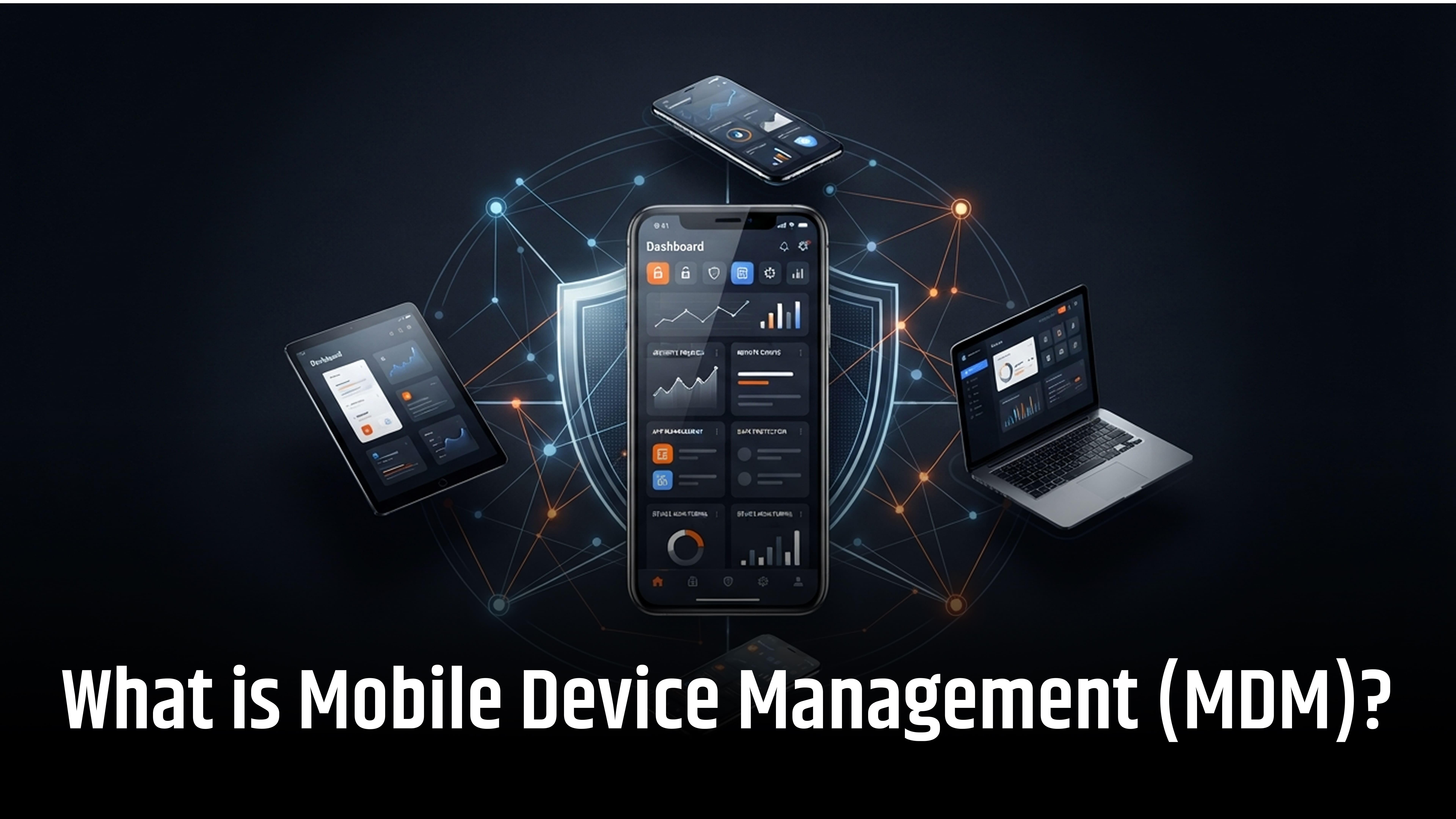
Managing multiple mobile devices increases security risks for organizations. These risks include data breaches, outdated software, unauthorized applications, and device misuse. Mobile Device Management (MDM) helps organizations secure and manage smartphones, tablets, and laptops from a central platform.
MDM allows IT teams to enforce security policies, deploy business applications, and manage software updates. It also supports remote device locking and data wiping.
For remote work and Bring Your Own Device (BYOD) environments, MDM protects corporate data, strengthens endpoint security, ensures compliance, improves device visibility, and reduces IT workload while maintaining employee privacy.
What is Mobile Device Management?
Mobile Device Management (MDM) is software solution that helps organizations manage, monitor, and secure mobile devices remotely. It allows IT teams to enforce security policies, configure settings, install business apps, and manage updates. MDM supports Android, iOS, Windows, and macOS. It also enables device tracking, compliance monitoring, remote locking, and corporate data wiping.
How Does Mobile Device Management Work?
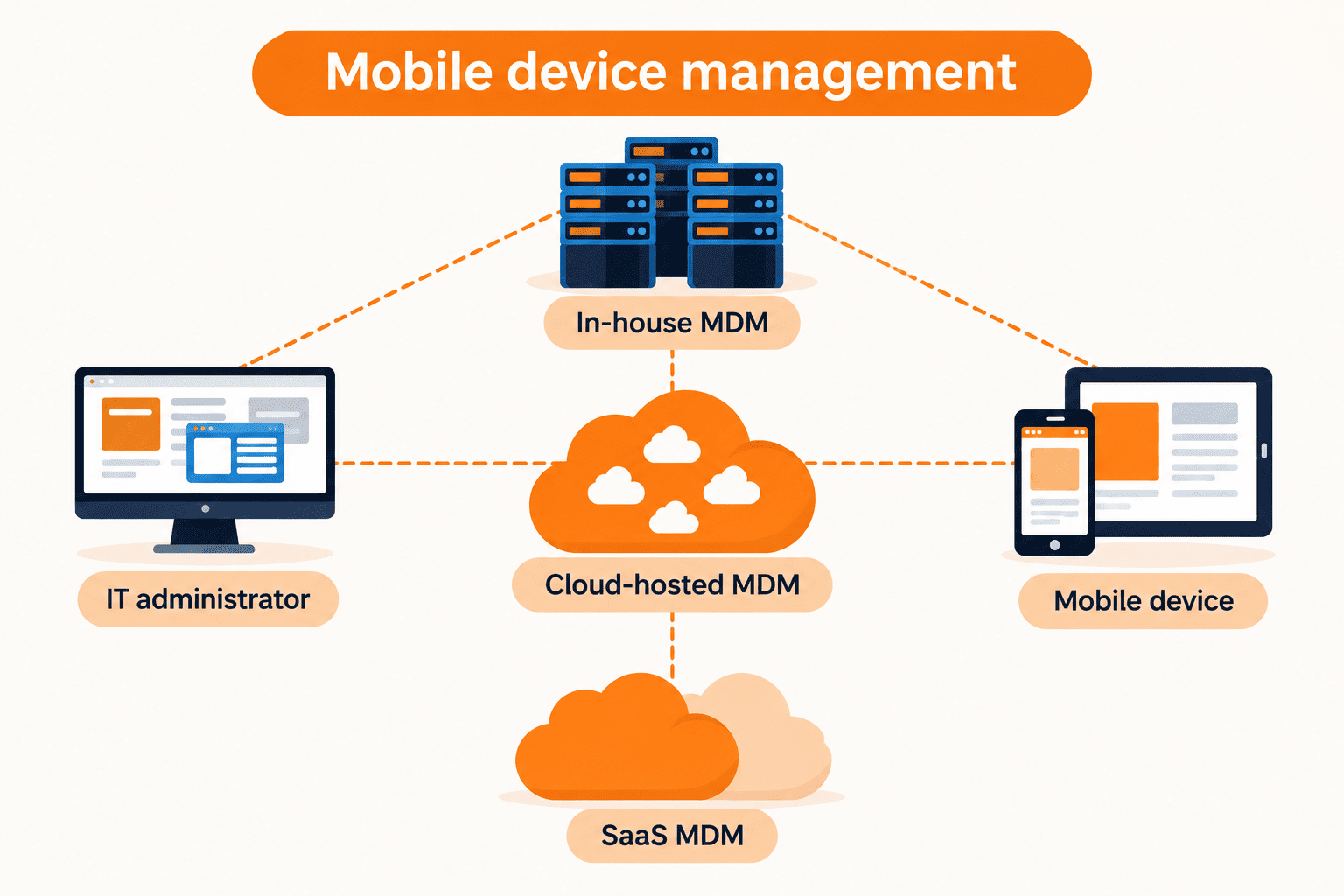
Mobile Device Management (MDM) works by enrolling devices, applying security policies, monitoring compliance, and managing devices remotely. IT administrators control these activities through a centralized MDM platform.
1. Device Enrollment
Device enrollment connects smartphones, tablets, and computers to an MDM platform. Organizations can enroll devices manually or automatically.
Common enrollment methods include:
- QR code enrollment
- User-based enrollment
- Zero-touch enrollment
- Apple Automated Device Enrollment
- Android Enterprise enrollment
- Windows Autopilot
2. Management Setup
After enrollment, the device establishes a connection with the MDM platform. It uses built-in management features, profiles, certificates, or management agents. This allows IT teams to send supported settings and commands.
3. Security Policy Configuration
IT administrators apply security policies and device settings. These may include:
- Password and screen lock requirements
- Device encryption
- Wi-Fi and VPN settings
- Business email configuration
- Application installation and restrictions
4. Device Monitoring and Compliance
MDM monitors device information and security status. It checks whether devices follow company policies, such as encryption, supported OS versions, and screen lock requirements.
If a device fails these checks, MDM reports it as noncompliant. Organizations can use this status to restrict access to business applications.
5. Remote Device Management
IT administrators can manage enrolled devices remotely through the MDM console. Common actions include:
- Synchronizing device settings
- Removing managed applications
- Deleting corporate data
- Factory resetting company-owned devices
Available actions depend on the operating system, device ownership, and enrollment type.
Why Do Organizations Use MDM?
Organizations use Mobile Device Management (MDM) to secure devices, protect business data, and simplify IT management.
- Data Security and Protection: Enforces encryption, strong passwords, and updates to prevent data breaches.
- Remote Lock and Wipe: Remotely locks lost devices and erases sensitive corporate data.
- BYOD Management: Separates business and personal data while protecting employee privacy.
- Centralized App and Policy Management: Remotely deploys apps, configures settings, and enforces security policies.
- Device Inventory and Monitoring: Tracks device inventory, operating systems, compliance, and overall device health.
Core Purpose and Functionality of MDM
MDM helps organizations remotely manage mobile devices, enforce security policies, protect business data, and monitor device compliance from a central platform.
- Centralized Device Management: Remotely deploys software updates, device configurations, and security policies across devices.
- Data Security: Enforces password protection, device encryption, and separation of business data.
- Remote Device Actions: Locates, locks, or wipes lost devices to protect corporate data.
- BYOD Support: Secures business information while maintaining employee privacy on personal devices.
Types of Mobile Device Management
Mobile Device Management (MDM) types depend on device ownership, user access, and business requirements.
1. Corporate-Owned Device Management
Organizations purchase and provide devices to employees. IT teams have greater control over device settings, applications, and security policies.
Examples:
- Company-issued smartphones.
- Corporate tablets and laptops.
- Shared workplace devices.
2. Bring Your Own Device (BYOD) Management
BYOD allows employees to use personal devices for work. MDM protects business applications and company data while helping maintain employee privacy.
Examples:
- Personal smartphones.
- Employee-owned tablets.
- Personal laptops used for work.
Organizations can use work profiles, app protection policies, or mobile application management (MAM) to secure business data.
3. Corporate-Owned, Personally Enabled (COPE)
COPE devices are owned by the organization but allow limited personal use. IT teams manage security settings and business applications while employees can use approved personal features.
Examples:
- Company-issued smartphones.
- Corporate tablets with personal apps.
- Employee devices with managed work profiles.
4. Corporate-Owned, Business-Only (COBO)
COBO devices are company-owned and reserved for business activities. IT administrators apply strict restrictions and control device usage.
Examples:
- Warehouse scanners.
- Delivery devices.
- Retail terminals.
- Field service smartphones.
5. Shared and Dedicated Device Management
Organizations use shared or dedicated devices for specific tasks. MDM controls access, manages applications, and configures devices for business operations.
Examples:
- Hospital tablets.
- Classroom devices.
- Factory equipment.
- Retail kiosks.
- Digital signage.
Mobile Device Management for Android
Android MDM helps organizations enroll, configure, secure, and monitor Android smartphones and tablets. Android Enterprise supports different management modes based on device ownership and usage.
1. Personally Owned Devices With a Work Profile
A work profile separates business apps and data from personal apps and information. IT teams manage the work environment without managing the entire personal device.
2. Fully Managed Devices
Fully managed Android devices are company-owned. IT administrators control device settings, install business apps, enforce security policies, and manage supported features.
3. Dedicated Devices
Dedicated Android devices are configured for specific business tasks. They often run in kiosk mode with access limited to approved applications.
Examples:
- Retail point-of-sale devices.
- Inventory scanners.
- Digital signage.
- Industrial devices.
Mobile Device Management for Apple Devices
Apple MDM helps organizations manage iPhones, iPads, and Macs. IT teams can configure devices, distribute applications, enforce security policies, and monitor compliance.
1. Apple Automated Device Enrollment
Automated Device Enrollment simplifies the setup of company-owned Apple devices. It automatically enrolls devices into MDM during initial setup and applies required configurations.
Organizations commonly use Apple Business Manager with an MDM solution.
2. Apple User Enrollment
Apple User Enrollment supports BYOD management on personal Apple devices. It separates managed work data from personal information and provides greater employee privacy.
3. Apple MDM Features
Depending on the device and enrollment type, Apple MDM supports:
- Configuration profiles and device restrictions.
- Managed application deployment.
- Software update management.
Mobile Device Management for Windows
Windows MDM helps organizations manage and secure business laptops, desktops, and other supported Windows devices. Solutions such as Microsoft Intune provide centralized device configuration and policy management.
Windows MDM Features
- Security Configuration: Apply password policies, encryption, and security settings.
- Application Deployment: Install, update, and manage business applications.
- Device Compliance: Check device health and enforce security requirements.
- Windows Updates: Manage supported operating system updates.
- Network Configuration: Configure Wi-Fi, VPN, and certificates.
- Security Baselines: Apply recommended security settings.
- Conditional Access: Restrict access to company resources based on device compliance.
Organizations can combine Windows MDM with endpoint security and unified endpoint management (UEM) tools to protect and manage devices throughout their lifecycle.
Top 5 Mobile Device Management Solutions and Alternatives
We selected these five solutions based on device management, BYOD security, app control, policy enforcement, platform support, and data protection.
|
Solution |
Best for |
Key features |
|
Microsoft Intune |
Microsoft-based organizations |
Device enrollment, app management, security policies, and conditional access. |
|
IBM MaaS360 |
Managing multiple device types |
Unified endpoint management, threat detection, containerization, and patch management. |
|
Jamf Pro |
Apple device management |
Zero-touch deployment, app distribution, security policies, and device monitoring. |
|
Scalefusion |
Cross-platform device management |
Kiosk mode, remote troubleshooting, app deployment, and geofencing. |
|
SOTI MobiControl |
Rugged, IoT, and field devices |
Device lifecycle management, IoT support, geofencing, and fast data delivery. |
1. Microsoft Intune

Best for: Organizations using Microsoft 365.
Strengths: Cross-platform endpoint management, conditional access, and centralized security policies.
Microsoft Intune manages Windows, Android, Apple, and Linux devices. It supports device enrollment, app deployment, security policies, and compliance monitoring. It also integrates with Microsoft Entra ID for conditional access.
Features:
- Device Management: Enrolls and manages Windows, Android, iOS, macOS, and Linux devices.
- Application Management: Deploys, updates, and protects business applications.
- Security and Compliance: Enforces security policies and checks device compliance through Microsoft Entra ID integration.
2. IBM MaaS360

Best for: Managing mixed-device environments.
Strengths: Unified endpoint management, mobile threat defense, and centralized device security.
IBM MaaS360 provides unified endpoint management through one console. It supports mobile security, app management, device policies, containerization, and patch management.
Features:
- Device Management: Manages smartphones, tablets, laptops, and desktops from one console.
- Threat Protection: Detects mobile threats, malware, phishing, and suspicious activity.
- Containerization: Separates business applications and data from personal information.
3. Jamf Pro

Best for: Managing Apple devices.
Strengths: Apple-focused management, automated deployment, and advanced device configuration.
Jamf Pro manages Mac, iPhone, iPad, and other Apple devices. It supports automated enrollment, app deployment, security configurations, software updates, and device inventory.
Features:
- Zero-Touch Deployment: Automatically enrolls and configures Apple devices.
- Application Management: Distributes, updates, and manages apps across Apple devices.
- Security Management: Enforces security policies, monitors compliance, and manages software updates.
4. Scalefusion

Best for: Managing devices across multiple platforms.
Strengths: Multi-platform support, remote troubleshooting, and kiosk management.
Scalefusion supports Android, iOS, Windows, macOS, Linux, and ChromeOS. Its features include kiosk mode, remote device control, application management, geofencing, and security policy enforcement.
Features:
- Kiosk Mode: Restricts devices to approved applications or websites.
- Remote Management: Allows IT teams to monitor and troubleshoot devices remotely.
- Geofencing: Tracks device locations and applies policies based on geographical boundaries.
5. SOTI MobiControl
Best for: Rugged devices, IoT endpoints, and field operations.
Strengths: Device lifecycle management, IoT support, and reliable data delivery across remote locations.
SOTI MobiControl manages mobile devices throughout their lifecycle. It supports device enrollment, application deployment, remote troubleshooting, geofencing, and IoT device management. Its data delivery technology helps distribute apps and files across remote locations.
Features:
- Device Lifecycle Management: Manages devices from enrollment and deployment to retirement.
- Geofencing and Tracking: Monitors device locations and applies location-based policies.
- Application and Content Management: Deploys business apps, updates, and files across managed devices.
Things to consider: Some users report limited iOS controls, reporting gaps, and concerns about pricing and customer support.
Benefits of Mobile Device Management (MDM)
Mobile Device Management helps organizations secure devices, manage IT operations, and protect business data. Key benefits include:
1. Improved Device Security
MDM enforces security policies across managed devices. These include strong passwords, device encryption, OS updates, and app restrictions. This helps reduce security risks and unauthorized access.
2. Centralized Device Management
IT administrators can manage multiple devices from one dashboard. They can configure settings, deploy apps, and apply security policies remotely.
3. Reduced IT Workload
MDM automates device enrollment, setup, and configuration. This saves IT teams time and reduces manual work.
4. Business Data Protection
MDM helps protect company files, emails, and applications. Security policies reduce the risk of data leaks, unauthorized access, and data loss.
5. Support for Remote Work
MDM allows employees to access business resources from different locations. IT teams can still enforce device security policies and access controls.
6. Simplified Device Lifecycle Management
MDM supports every stage of device management. IT teams can enroll, configure, monitor, update, and retire devices from a central platform.
MDM vs. MAM vs. EMM vs. UEM
MDM, MAM, EMM, and UEM are different approaches to managing devices, apps, and business data. They often work together in modern endpoint management solutions. The main difference is what each technology manages.
|
Management Type |
What It Manages |
Common Use Case |
|
MDM (Mobile Device Management) |
Device settings, security policies, configurations, and remote actions |
Managing company-owned phones, tablets, and laptops |
|
MAM (Mobile Application Management) |
Business apps, app permissions, and corporate data |
Protecting work apps on personal BYOD devices |
|
EMM (Enterprise Mobility Management) |
Mobile devices, applications, business content, and user access |
Managing company devices and employee-owned devices |
|
UEM (Unified Endpoint Management) |
Mobile devices, desktops, laptops, and other connected endpoints |
Managing different endpoint types from one platform |
The right solution depends on your organization's devices, security needs, and IT requirements. For example, a company using Apple devices may need different controls from one managing rugged Android devices.
UEM extends device management beyond smartphones and tablets. It helps IT teams manage multiple endpoint types through a centralized management console.
Common Mobile Device Management (MDM) Use Cases
Organizations across industries use MDM to manage mobile devices, secure business data, and control access to work applications.
1. Healthcare
Hospitals use MDM to manage smartphones, tablets, and clinical devices. Healthcare teams access patient records and medical applications securely. MDM helps protect patient data and enforce device security policies.
2. Education
Schools and universities use MDM to manage student tablets, teacher laptops, and classroom devices. IT teams can install learning apps, apply usage restrictions, and manage shared devices.
3. Retail
Retail businesses use MDM to manage POS systems, barcode scanners, employee smartphones, and digital signage. It helps keep retail devices secure and business applications up to date.
4. Manufacturing
Manufacturing companies use MDM to manage industrial tablets, warehouse devices, and field service equipment. IT teams can configure devices and control access to work applications.
5. Financial Services
Banks and financial institutions use MDM to secure employee devices. It helps protect financial data, enforce security policies, and control access to banking applications.
Conclusion
Mobile Device Management (MDM) helps businesses secure devices and protect company data. It simplifies IT management through centralized control, app management, and security policies. It also supports remote teams and BYOD environments.
In 2026, MDM remains vital for endpoint security, Zero Trust, and unified device management.
Need better device security? Choose WOWinfotech for reliable MDM solutions. Protect business data and simplify mobile device management today!
Frequently Asked Questions (FAQs)
-

Team WOWinfotech
WOWinfotechNov 19,2026