Patient Management Software for Naturopathy Centers: Benefits and Features
Managing a naturopathy center involves more than treating patients. Practitioners handle health records, diet plans, yoga therapy, herbal treatments, appointments and regular follow-ups. Doing it all manually takes time and increases the risk of errors.
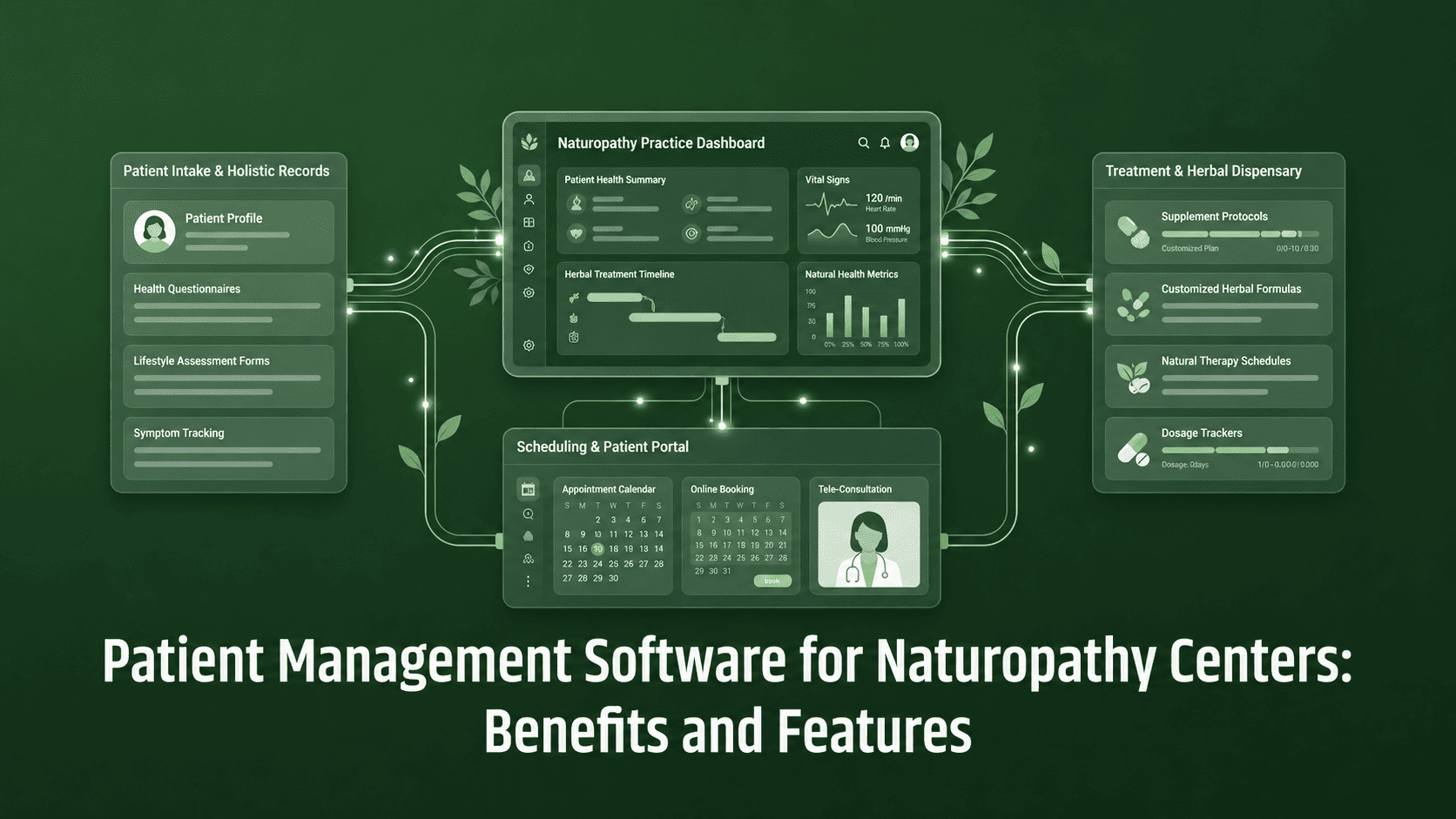
Patient management software for naturopathy centers brings these tasks together in one digital platform. It helps manage patient records, treatment plans, therapy schedules, billing and follow-ups with less effort. Features like digital case sheets, online booking, herbal inventory, OPD/IPD management and telehealth make daily operations easier.
Practitioners can track patient progress, while staff spend less time on paperwork. But how does this software improve clinic management? Let's explore its key benefits and features.
What is Patient Management Software for Naturopathy Centers?
Patient management software for naturopathy centers is a digital solution that helps clinics manage daily operations. It stores patient records, schedules appointments and tracks consultations.
Practitioners can manage treatment plans, therapy sessions, billing and follow-ups in one place. It also records lifestyle assessments, diet plans, herbal medicines and patient progress. This software reduces paperwork, improves staff coordination and makes patient care more organized.
Features of Patient Management Software for Naturopathy Centers
Patient management software for naturopathy centers combines clinical and administrative tools in one platform. It helps practitioners manage patient records, treatment plans, therapy schedules, billing and daily clinic operations.
Here are the essential features to look for in naturopathy clinic management software.
1. Holistic Patient Records and Digital Case Sheets
Digital patient records help naturopaths store and access complete patient information. The software should support customizable case sheets for different consultation needs.
Important details include:
- Patient name, age and contact information.
- Medical and family health history.
- Symptoms and health concerns.
- Previous consultations and treatments.
- Allergies, medications and supplements.
- Diagnostic reports and clinical observations.
- Treatment recommendations and follow-up notes.
Practitioners can maintain all these details in one patient profile. They can also review previous records during follow-up visits. Custom case sheets make it easier to document nutrition, sleep, physical activity and lifestyle habits.
2. Appointment and Therapy Room Scheduling
Naturopathy centers manage different consultations and therapy sessions. These include yoga therapy, hydrotherapy, mud therapy, massage and diet counselling.
Appointment scheduling software helps manage these services through a shared calendar.
Key features include:
- Online booking: Patients can book available consultation slots.
- Practitioner calendars: Manage schedules for doctors and therapists.
- Recurring appointments: Schedule multiple therapy sessions in advance.
- Room management: Assign therapy rooms based on availability.
- Automated reminders: Send SMS, email and WhatsApp notifications.
- Rescheduling: Manage cancellations and new appointment slots.
These tools reduce booking errors and prevent scheduling conflicts.
3. Naturopathy Treatment Plans and Clinical Documentation
Treatment plan management helps practitioners document patient-specific recommendations. It keeps consultation notes and therapy instructions organized.
The software should support:
- Dietary and nutrition plans.
- Lifestyle modification recommendations.
- Yoga and exercise instructions.
- Natural therapy schedules.
- Consultation notes and observations.
- Treatment duration and review dates.
Practitioners can update treatment plans after each consultation. They can also review previous recommendations and track changes. This supports consistent clinical documentation across multiple visits.
4. Herbal and Supplement Inventory Management
Naturopathy centers often manage herbal formulations, natural remedies and nutritional supplements. Inventory management software helps track product availability and stock movement.
Important features include:
- Product names and categories.
- SKU and product codes.
- Available stock quantities.
- Purchase and selling prices.
- Supplier information.
- Batch and expiry date tracking.
- Low-stock alerts.
- Purchase and sales records.
- Product-wise sales reports.
Staff can check stock before billing and record product sales. Expiry alerts also help identify products that need attention. This makes herbal inventory management more accurate and organized.
5. OPD and Inpatient (IPD) Management
Naturopathy clinics and hospitals may provide both outpatient and residential services. Patient management software should support these workflows where required.
OPD management features:
- Patient registration.
- Consultation records.
- Diagnostic reports.
- Prescriptions and treatment plans.
- Billing and payment records.
- Follow-up scheduling.
IPD management features:
- Patient admission and registration.
- Room and bed allocation.
- Admission and discharge records.
- Therapy scheduling.
These features help manage patients throughout their clinic visit or residential stay. They also improve coordination between consultation, therapy, accommodation and billing departments.
6. Billing, Payments and Accounting Management
Billing software helps naturopathy centers manage consultation fees, therapy charges and product sales. It reduces manual calculations and keeps payment records organized.
The system should support:
- Consultation fees.
- Therapy session charges.
- Treatment packages.
- Residential stay charges.
- Diagnostic service fees.
- Herbal medicine and supplement sales.
- Advance and partial payments.
- Itemized invoices.
Clinics can accept UPI, cards and online payments where supported. Accounting integrations help reduce duplicate data entry.
Financial reports also show daily collections, monthly revenue and pending payments. This gives clinic owners better visibility into their finances.
7. Patient Portal and Digital Intake Forms
A patient portal allows patients to access selected clinic services online. It reduces paperwork and makes routine communication easier.
Patients may be able to:
- Register online.
- Complete digital health forms.
- Update personal details.
- Book and reschedule appointments.
- View upcoming consultations.
- Access approved treatment plans.
- View available lab reports.
- Download invoices.
- Request follow-up visits.
- Contact clinic staff.
Digital intake forms collect medical history, lifestyle details and dietary information before the first consultation. This saves time at reception and helps practitioners prepare for appointments.
8. Telehealth and Online Consultations
Telehealth software allows naturopaths to conduct suitable consultations remotely. It is useful for patients who cannot visit the clinic regularly.
Common uses include:
- Diet and nutrition counselling.
- Wellness discussions.
- Treatment progress reviews.
- Remote patient communication.
Integrated telehealth connects online consultations with patient records and appointment schedules. However, physical therapies and examinations still require in-person visits when necessary.
9. Automated Patient Communication and Reminders
Automated communication helps clinics stay connected with patients. It reduces repetitive calls and manual follow-up work.
The software should support:
- Appointment confirmations.
- Consultation reminders.
- Therapy session notifications.
- Follow-up reminders.
- Payment notifications.
- Cancellation updates.
- Clinic announcements.
Clinics can use SMS, email or WhatsApp integrations where available. Messages should be relevant and sent with appropriate patient consent.
10. Patient Progress Tracking and Treatment History
Progress tracking helps practitioners review changes across multiple consultations. It is useful for patients following long-term diet and lifestyle programmes.
The software can record:
- Changes in reported symptoms.
- Patient-reported energy levels.
- Sleep and activity patterns.
- Therapy session attendance.
- Follow-up observations.
Practitioners can compare previous and current records. This helps them review patient progress and update treatment plans when needed.
11. Reports and Clinic Performance Dashboard
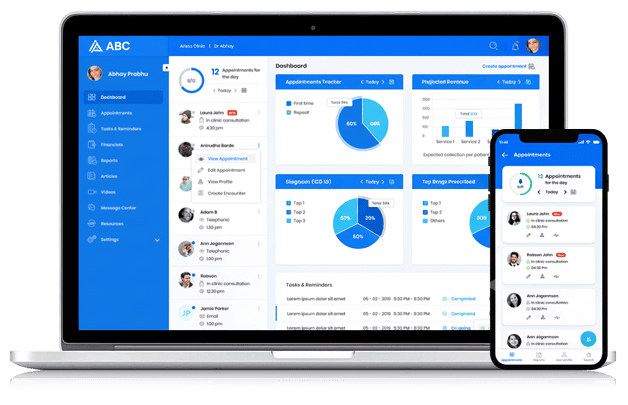
A clinic dashboard gives administrators an overview of daily activities. It helps monitor appointments, revenue, patient visits and inventory.
Useful reports include:
- Total registered patients.
- New and returning patients.
- Daily appointments.
- Cancelled and missed appointments.
- Therapy attendance.
- Daily and monthly revenue.
- Outstanding payments.
- Herbal product sales.
- Inventory status.
- Pending patient follow-ups.
These reports help clinic owners identify operational issues. They can also use the data to plan staff schedules and manage clinic resources.
12. Multi-Doctor and Multi-Branch Management
Naturopathy centers with multiple practitioners or branches need centralized management. Multi-user software helps coordinate staff, appointments and patient records.
Important features include:
- Role-based access permissions.
- Branch-wise appointment calendars.
- Shared patient records where authorized.
- Centralized financial reports.
- User activity and audit logs.
Role-based access protects patient information. Each employee can access only the records and functions required for their role. This improves data security and coordination across clinic branches.
Benefits of Patient Management Software for Naturopathy Centers
Patient management software helps naturopathy centers improve daily operations and patient care. Here are its main benefits:
1. Better Patient Records and Treatment Tracking
Store medical histories, lifestyle assessments, diet plans and therapy notes in one digital record. Practitioners can easily review patient progress and previous treatments.
2. Efficient Appointment and Room Management
Manage practitioner schedules, therapy sessions, treatment rooms and inpatient beds. This reduces booking conflicts and improves resource management.
3. Fewer Missed Appointments
Online booking and automated SMS, email or WhatsApp reminders help patients remember consultations and therapy sessions.
4. Improved Herbal Inventory Control
Track herbal medicines, supplements, stock levels, expiry dates and product sales. This helps prevent stock shortages and inventory errors.
5. Faster Billing and Payment Management
Generate invoices for consultations, therapies and products. Record online payments, track pending bills and manage accounting records.
6. Better Patient Engagement
Provide online appointment booking, digital intake forms, treatment instructions and follow-up reminders. Patients can stay connected with the clinic through a patient portal.
7. Secure and Organized Patient Records
Replace paper files and handwritten registers with centralized digital records. Role-based access, backups and audit logs help protect patient information and reduce documentation errors.
How Patient Management Software Supports Different Naturopathy Workflows
Naturopathy centers handle registrations, consultations, diet plans, therapies, herbal products and inpatient care.
Patient management software brings these tasks together in one system. It reduces paperwork, organizes records and simplifies daily operations.
Workflow 1: New Patient Registration
Patient management software simplifies registration.
- Reception staff create a digital patient profile.
- The patient completes a digital intake form.
- Medical history, symptoms and lifestyle details are recorded.
- An appointment is assigned to the right practitioner.
- The practitioner reviews the patient details before consultation.
- Consultation notes are saved in the patient's digital record.
Workflow 2: Consultation and Treatment Planning
Practitioners can document consultations and create personalized care plans.
- The practitioner reviews the patient's medical and lifestyle history.
- Symptoms, observations and assessment notes are recorded.
- Diet plans and lifestyle recommendations are added.
- Suitable naturopathy therapies are included in the treatment plan.
- Therapy sessions and follow-up appointments are scheduled.
- Treatment instructions are shared with the patient.
Workflow 3: Therapy Session Management
Software helps manage regular therapy sessions and treatment schedules.
- Staff schedule therapies such as yoga, hydrotherapy and massage.
- Therapists, treatment rooms and time slots are assigned.
- Patients receive appointment reminders.
- Staff record attendance for each session.
- Therapists update session notes and observations.
- Practitioners review therapy history during follow-up visits.
Workflow 4: Herbal and Supplement Billing
Naturopathy centers can manage herbal products and billing through one system.
- Staff select herbal medicines or supplements from the inventory.
- Product availability and stock levels are checked.
- Selected products are added to the patient's invoice.
- Payment is recorded through the available payment method.
- Inventory is updated after the sale.
- Sales and stock details appear in inventory and financial reports.
Workflow 5: Inpatient (IPD) Management
Centers offering residential naturopathy programs can manage inpatient activities digitally.
- Staff register the patient for admission.
- A suitable room or bed is assigned.
- Admission details and medical history are recorded.
- Consultation and therapy schedules are maintained.
- Daily treatment updates and progress notes are documented.
- Consultation, therapy and product charges are added to the bill.
- Discharge details and summaries are prepared when the patient leaves.
Patient management software connects registration, consultations, therapy schedules, inventory and billing. It reduces paperwork and keeps patient records organized. It also helps naturopathy centers manage daily workflows smoothly.
Cloud-Based vs On-Premise Naturopathy Clinic Management Software
Before selecting a system, clinic owners should understand the difference between cloud-based and on-premise software.
|
Factor |
Cloud-Based Software |
On-Premise Software |
|
Access |
Through supported internet-connected devices |
Usually through local clinic infrastructure |
|
Installation |
Generally minimal local setup |
Requires local installation and configuration |
|
Updates |
Often managed by the provider |
May require manual or managed updates |
|
Maintenance |
Largely handled by the provider |
Clinic or IT team has greater responsibility |
|
Data storage |
Hosted by the software provider or its cloud infrastructure |
Stored on local servers or systems |
|
Remote access |
Usually easier to configure |
Depends on network and remote-access setup |
|
Costs |
Often subscription-based |
May involve licensing and infrastructure costs |
Cloud-based solutions offers remote access and supports multiple clinic locations. It also requires less in-house maintenance.
On-premise software suits clinics that want more control over their data and local systems. However, it needs technical support and regular maintenance.
The best choice depends on your budget, internet access, security needs, staff and clinic requirements.
How to Choose the Best Patient Management Software for a Naturopathy Center
Consider these factors before choosing naturopathy clinic management software:
- Naturopathy Features: Check for digital case sheets, lifestyle assessments and treatment plans.
- Patient Records: Ensure easy access to medical history and consultation notes.
- Appointment Scheduling: Look for online booking and therapy scheduling.
- Inventory Management: Check herbal stock tracking and expiry alerts.
- OPD/IPD Management: Verify admission, room allocation and discharge features.
- Billing and Payments: Look for invoicing, online payments and accounting integration.
- Data Security: Check encryption, access controls and data backups.
- Mobile Access: Ensure compatibility with smartphones, tablets and computers.
- Customer Support: Check training, onboarding and technical assistance.
- Pricing and Scalability: Compare costs and choose software that supports clinic growth.
Conclusion
Patient management software for naturopathy centers simplifies patient records, appointments, treatment plans, therapy scheduling and billing. It reduces paperwork and improves clinic operations. Features like digital case sheets, herbal inventory, OPD/IPD management and automated follow-ups support better patient care.
Looking to digitize your naturopathy clinic? Choose WOWinfotech to streamline patient management, simplify daily operations and manage your clinic more efficiently. Explore WOWinfotech's software solutions today!
Frequently Asked Questions
-

Team WOWinfotech
WOWinfotechNov 25,2026